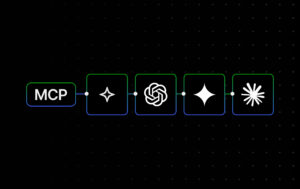
WordPress.com has launched an official connector for Claude — the first of its kind for a WordPress host. This means that you can now safely connect Claude to your site and know that the integration is officially supported by both Anthropic and WordPress.com. Check out the WordPress.com Claude Connector From MCP access to an official connector A few months ago, we introduced MCP access to let AI agents work with real WordPress.com site context — something most standalone AI tools don’t have. With our recent addition of OAuth 2.1 support, those integrations became both more secure and easier to authorize using the agents you already rely on. This partnership builds…
Finding your next favorite blog shouldn’t feel like scrolling through an endless feed, hoping something good appears. And for creators, getting discovered shouldn’t require figuring out an algorithm. Back in 2009, WordPress.com launched Freshly Pressed, a curated collection of posts that entertained, enlightened, and inspired. It was our way of saying “we like you, we really like you” to creators, and amplifying their great work for others to find. We paused Freshly Pressed a few years back, but the idea never really went away. And the case for human-curated discovery is stronger than ever. It’s time to bring Freshly Pressed back. What is Freshly Pressed? Freshly Pressed is where we…
WordPress powers everything from personal blogs to large-scale community projects — but the most interesting sites aren’t always the biggest ones. In this guide, we’ve handpicked 15 unique WordPress website examples that stand out for their ideas, storytelling, and design choices. Some attract significant traffic, while others serve smaller but highly engaged communities. All of them use WordPress.com in thoughtful, creative ways. Along the way, you’ll see practical design and content ideas you can apply to your own site, whether you’re starting fresh or refining what you already have. 1. Hidden Gem Animal Rescue: Foster-based rescue organization Website type: Nonprofit Theme: Custom Logan and Murphy founded Hidden Gem Animal Rescue…
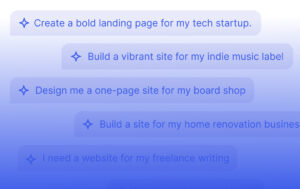
WordPress has evolved far beyond its blogging roots and can now power almost any kind of site — from personal sites and portfolios to memberships, news sites, and full business websites. And with its new AI website builder, designing a website has become even easier — simple text prompts are enough to turn your ideas into a working site for any need. I challenged myself to build 21 different types of websites using this tool. Here are the results, along with pro tips for prompting, design, page structure, and more. 1. Portfolio website A portfolio website helps share your creative work, whether that’s writing, photography, design, video production, or something…
Tammy Silva started sharing remote job opportunities on LinkedIn during the pandemic. When she moved back to Brazil after years in Singapore and Australia, she noticed something: most Brazilians had no idea they could work remotely for U.S. companies and earn in dollars. So she started posting about it on LinkedIn. Job openings. Resume tips. Interview advice. All free. “I wasn’t doing it for work,” Tammy says. “I was just trying to reach people. If I helped 10 or 20 people get better jobs, that was enough.” But people kept following. The audience grew. What started as a side project became a full-time business — and a website she built…
If you’re launching a new business — whether it’s ecommerce, a consultancy, or a creator project — one of your first moves is to build an online presence, usually starting with a website. Going online itself isn’t the hard part. The real challenge is knowing what to focus on first. This guide walks through the key steps required to build an online presence, focusing on what actually matters in your first few months. We spoke with founders and small business experts to pull together practical advice and examples you can learn from. Step 1: Define your business in one sentence Start by writing a one-line descriptor that clearly explains what…
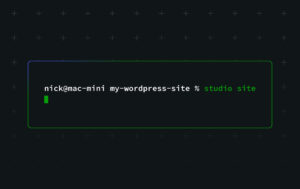
Version 1.7.0 of WordPress Studio is a major upgrade for anyone building WordPress sites locally, especially developers and power users who like to automate tasks and work from the terminal. In earlier releases, the Studio CLI focused mainly on creating and managing preview sites. With version two, it becomes a full-featured command-line companion for much of your Studio workflow, including creating and managing local sites, running WP-CLI in the right context, connecting to WordPress.com, and more. In this post, we’ll review what’s new and share practical ways to incorporate the Studio CLI into AI-assisted workflows. Try WordPress Studio now For the full command reference and advanced options, see the updated…
A great theme makes building your WordPress site feel effortless. I went through the most popular options on WordPress.com — based on real usage data — and tested each one. From personal blogs to online stores, I looked at what works best for different types of sites. Here are the 12 best WordPress themes worth considering in 2026. TL;DR: The best WordPress themes Here are our top picks of WordPress.com themes based on real usage data from WordPress.com: Twenty Twenty-Four: Best for content-focused sites. Retrospect: Best for photography websites. Twenty Twenty-Three: Best for getting a flexible starting point Twenty Twenty-Five: Best for building an adaptable, creative site Zoologist: Best for…
In October, we announced that WordPress.com now supports MCP (Model Context Protocol), enabling AI agents to interact with your sites. Today, WordPress.com supports OAuth 2.1, making MCP integrations simpler. MCP clients work natively with OAuth 2.1, so authorizing the AI tools you already use is as straightforward as adding a URL and approving access — no workarounds or manual configuration required. With MCP, AI agents can help with everyday tasks on your WordPress.com site, such as finding posts, pulling site details, or drafting new content, while you control what they can access. How OAuth 2.1 powers MCP integrations When an AI assistant (like Claude Desktop, ChatGPT, or a custom AI…
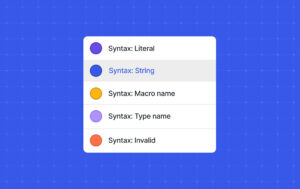
Last year, WordPress.com introduced new code editors for the block editor and the Additional CSS input box in the WordPress admin. This was the first stage of a larger effort to make editing code a more enjoyable experience. Today, I’m happy to announce the launch of the second stage of that effort: introducing the new and improved Code block. This is not a new block. It’s an enhancement to the current Code block that you’ve likely already been using, which includes several improvements over the original: Syntax highlighting: Supports color-based syntax highlighting for over 100 common languages. Configuration: Decide to show the filename, language name, line numbers, and even include…